
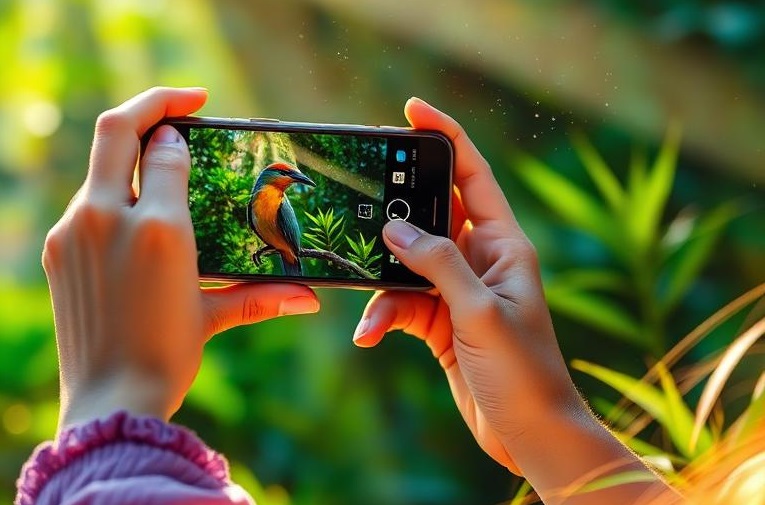
A mobile camera has become one of the most useful features of a modern smartphone. Almost everyone uses it to capture photographs, record videos, attend video calls, scan documents, and share important moments. Smartphone cameras have made photography quick and convenient, but their increasing use also raises important questions about privacy and data security.
While a mobile camera can make everyday life easier, careless use can expose personal information. Photographs and videos may reveal faces, locations, documents, homes, workplaces, or other sensitive details. For this reason, understanding both the benefits and disadvantages of mobile cameras is essential.
Benefits of a Mobile Camera
The biggest advantage of a mobile camera is convenience. People no longer need a separate digital camera for everyday photography because a smartphone is usually available at all times. Important family events, holidays, celebrations, and personal memories can be captured within seconds.
Mobile cameras are also valuable for education and work. Students can photograph classroom notes, books, diagrams, and assignments. Employees can scan documents, photograph receipts, participate in video meetings, and record information when appropriate.
Cameras can also be useful in unexpected situations. For example, photographs may help document property damage, an accident, or another important event. When used responsibly, a smartphone camera can therefore be a powerful communication and documentation tool.
Disadvantages of Mobile Cameras
Despite their advantages, mobile cameras can create privacy problems. One common issue is recording or photographing another person without their knowledge or permission. Private photographs or videos may also be uploaded to social media and shared with a much larger audience than originally intended.
Another concern is the sensitive information contained in photographs. A picture of an identity document, computer screen, home address, school record, or personal message could expose information that should remain private. Once sensitive content is shared online, controlling where it goes can become difficult.
How Mobile Cameras Can Affect Privacy
Privacy concerns are not limited to the camera itself. Smartphones also contain microphones, location services, applications, cloud storage, and online accounts. Applications may request access to the camera, photographs, microphone, or location. Giving unnecessary permissions can increase privacy risks.
Photographs can sometimes contain additional information, such as the approximate location where they were taken. Publicly sharing an image may therefore reveal more about a person or place than the photographer realizes.
Can Mobile Cameras Leak Personal Data?
Personal information can potentially be exposed through insecure applications, compromised accounts, cloud backups, phishing attacks, or careless online sharing. A stolen or unlocked smartphone can also provide access to photographs and other personal information.
This does not mean that every smartphone camera is unsafe. Most privacy problems can be reduced through sensible security practices. Users should understand which apps have access to their camera and personal information and remove permissions that are unnecessary.
How to Protect Your Mobile Camera Privacy
Protecting smartphone privacy does not have to be complicated. A few good habits can significantly reduce unnecessary risks.
- Review camera permissions: Check which applications can use your camera and remove access from apps that do not need it.
- Keep your phone updated: Install operating system and security updates because they may contain important security improvements.
- Use a strong screen lock: Protect your smartphone with a strong PIN, password, or available biometric authentication.
- Secure online accounts: Use unique passwords and enable two-factor authentication for important accounts.
- Be careful when sharing photographs: Avoid publicly posting images that contain identity documents, passwords, financial information, addresses, or other sensitive details.
- Download trusted applications: Install apps from reputable sources and carefully consider the permissions they request.
- Check privacy settings: Review social media, cloud storage, camera, microphone, and location settings regularly.
- Respect other people's privacy: Ask for permission before photographing or recording people, particularly in private or sensitive situations.
Conclusion
Mobile cameras have changed the way people capture memories, communicate, study, work, and document important events. Their convenience makes them an essential smartphone feature, but they should be used responsibly.
Privacy risks can arise when sensitive photographs are shared carelessly, applications receive unnecessary permissions, or personal accounts are poorly protected. By checking camera permissions, updating the smartphone, using strong passwords, enabling two-factor authentication, and thinking carefully before sharing photographs or videos, users can greatly improve their mobile camera privacy.
The goal is not to stop using smartphone cameras. Instead, users should learn how to use this technology wisely while protecting their own information and respecting the privacy of others.
Disclaimer
The information provided in this article is intended for general educational and informational purposes only. It explains common benefits, disadvantages, privacy concerns, and security practices related to mobile phone cameras.
While reasonable efforts have been made to provide useful and accurate information, technology, smartphone features, application permissions, privacy policies, and security practices can change over time. Therefore, the information should not be considered professional legal, cybersecurity, or technical advice.
Privacy and recording laws may also differ depending on your country, state, or local jurisdiction. Readers should check the laws and regulations that apply to their specific location before recording, photographing, or sharing content involving other people.
The website owner is not responsible for any loss, damage, privacy issue, or security problem resulting from the use or misuse of the information presented in this article. Users should review their device settings, application permissions, and the privacy policies of services they use and seek qualified professional advice when necessary.
References and Further Reading
The following official sources provide additional information about smartphone privacy, camera permissions, application access, and personal data protection.
-
Apple Support – Control What You Share on iPhone
Information about controlling which apps can access your camera, microphone, location, photos, and other personal information.
https://support.apple.com/en-mide/guide/iphone/iph6e7d349d1/ios -
Apple Support – Control Access to Hardware Features on iPhone
Explains how users can review and control application access to the camera and microphone, including privacy indicators.
https://support.apple.com/en-mide/guide/iphone/-iph168c4bbd5/ios -
Apple Support – App Privacy Features
Provides information about privacy settings and reviewing which applications have access to different types of information on Apple devices.
https://support.apple.com/guide/personal-safety/app-privacy-features-in-apple-products-ipsd4dac4a2c/1.0/web/1.0 -
Google Android Help – Change App Permissions
Official guidance on managing camera, microphone, location, photos, and other application permissions on Android devices.
https://support.google.com/android/answer/9431959 -
Google Play Help – Data Safety
Information about application data collection, permissions, and the Data Safety information provided by apps on Google Play.
https://support.google.com/googleplay/answer/11416267 -
Google Android Help – Restricted Settings
Guidance about potentially harmful applications, suspicious requests, and settings that may put personal information or devices at risk.
https://support.google.com/android/answer/12623953
Note: These references are provided for educational purposes. Smartphone privacy features and settings may vary depending on the device, operating system version, manufacturer, and application.